





AI Automation for Small Businesses: What to Automate First, What It Costs, and a 30-Day Plan

A practical guide to AI automation for small businesses: the five areas to automate first (enquiries, phone calls, documents, support, bookkeeping prep), what to leave alone, realistic 2026 costs for subscription tools versus custom work, a 30-day first project plan, and the mistakes that waste money.
Most of the small business owners we talk to about AI automation are not asking whether it works. They have seen it work, usually at a competitor or a friend's business. What they want to know is which job to hand over first, roughly what it costs, and how to avoid paying for a tool that sits unused after the first month.
So that is what this is: a plain guide to AI automation for small businesses, written for owners and managers of companies with five to a hundred people. Agencies, clinics, law and accounting practices, trades, online stores, restaurants, small logistics firms. You do not need a technical background to follow it, and you do not need to automate everything. You need to automate one thing well and then decide about the next.
What AI Automation Means Here
Automation itself is old news. Rules that move data between apps, send a reminder on a date, or file a form have been around for years and most businesses already use some of them. What changed is that AI can now cope with the inputs rules never could: a customer email worded three different ways, a scanned invoice, a voicemail, a photo of a damaged part, a contract with a strange clause in it.
A working definition, then. AI automation is software that reads messy, human-shaped inputs, works out what they mean, and then triggers the ordinary automation you already understand. The AI sits at the front. The dependable rule-based stuff does the work behind it.
That framing tells you where AI earns its keep. Clean inputs and fixed rules: you do not need AI, and anyone selling you AI for that job is overcharging. A person reading, interpreting, and re-keying things all day: that is where to look.
The Five Jobs Worth Automating First
Across the businesses we have worked with, the same five areas keep coming up. They have three things in common: they happen every day, the inputs are messy, and you can tell whether it worked.
1. Enquiries and lead follow-up
Small businesses lose far more leads to slow replies than to competitors. An AI agent can read every enquiry from the website, email, and social channels, work out what it is, draft a reply in your tone, answer the usual questions, and book a call or a job into the calendar. Anything odd goes to a person with a summary attached.
What to measure: time to first reply, and the share of enquiries that turn into bookings.
2. Phone calls and bookings
For clinics, trades, salons, restaurants, and property managers, the missed call is the biggest leak in the business. An AI voice agent answers around the clock, takes bookings, handles questions about hours and prices, and transfers anything complicated. For a lot of businesses this is the single highest-return automation on the list, which is why searches for voice agents have climbed so steeply this year. We cover the costs and the pitfalls in our guide to AI voice agents for small business.
What to measure: missed-call rate, after-hours bookings, staff hours on the phone.
3. Documents
Somebody in every small business re-keys information from documents into software. Invoices, purchase orders, delivery notes, intake forms, contracts. AI reads them, pulls out the fields, checks them against what you expect, and files them in the accounting or job system. A total that does not add up gets flagged rather than filed.
What to measure: hours of data entry a week, and errors in the books.
4. Customer support and the questions staff ask the owner
An assistant trained on your own documents (policies, product details, past tickets) answers routine questions on the website, in email, or on WhatsApp, and hands off when it is unsure. The same thing works inside the business. Staff ask a private assistant where a procedure is, what the refund rule says, or how a job was priced last time, instead of asking you.
What to measure: tickets resolved without a person, and how many times a day you get interrupted.
5. Bookkeeping prep and reporting
Matching transactions to receipts, categorising spend, chasing missing documents, drafting the weekly numbers in plain English. The accountant still signs off, but the preparation that used to take an afternoon takes minutes.
What to measure: days to close the month, and accountant hours billed.
What This Looks Like in Different Businesses
The pattern is always the same (a messy input gets read by AI, and software you already use does the rest), but it helps to see it in your own trade.
Clinics and dental practices: reminders and rescheduling by text, intake forms read into the practice system, insurance questions answered from a policy document, after-hours calls handled.
Trades and home services: job requests captured from calls and web forms with the address and photos, quotes drafted from a price book, invoices generated when the job is marked done, review requests sent without anyone remembering to.
Agencies and consultancies: enquiries qualified and booked, proposals drafted from past work, timesheets reconciled against invoices, client reports summarised.
Online stores: order status and returns handled by a support assistant, product questions answered from the catalogue, supplier invoices matched to purchase orders, low-stock alerts turned into reorder drafts.
Restaurants and hospitality: reservations and takeaway orders by phone, supplier invoices into accounting, rota questions answered for staff, review responses drafted for the manager to approve.
Accounting and legal practices: client documents sorted and filed on arrival, engagement letters drafted from a template, deadlines pulled out of correspondence into the calendar, routine client questions answered from firm policy.
Logistics and distribution: delivery notes and proof-of-delivery matched, tracking questions answered, exception emails from carriers routed to the right person.
What to Leave Alone for Now
Enthusiasm runs ahead of judgement in a few predictable places, and we have talked clients out of all of these at some point.
Decisions with legal or financial weight. Pricing a custom quote, approving a refund above a threshold, anything a regulator cares about. Let AI prepare the groundwork and let a person decide.
Anything where a mistake reaches a customer unseen. Start with AI drafting and a person sending. Go fully automatic only after you have watched it be right for a few weeks.
Processes nobody can describe. If the only documentation is in one person's head, automating it produces confident nonsense. Write it down first; you will probably find the process is messier than you thought.
Things that happen a few times a month. The set-up cost never pays back. Automate what happens every day.
What It Costs
There are three ways to pay for AI automation, and most businesses end up with a mix.
Subscription tools. Ready-made AI products for email, phone answering, bookkeeping, and support generally cost $30 to $300 a month each. Quick to start, no developer needed. The catch is that each tool sits in its own box, and connecting them into one flow is usually where the real value is.
Light custom automation. A developer connects the tools you already use (CRM, email, calendar, accounting, job management) with an AI layer that reads and routes. For one contained workflow, expect roughly $10,000 to $30,000 and a few weeks of work. For businesses with ten to fifty staff this is the sweet spot.
Custom AI agents. When the workflow spans several systems, needs memory across steps, and must follow your own rules, you are into agent territory: typically $40,000 to $80,000 for a workflow agent, more for autonomous systems. We broke down what AI agents cost, tier by tier, in a separate piece.
Running costs. Model usage (often $50 to $500 a month at small-business volumes), hosting, and some kind of maintenance arrangement. A custom automation with nobody looking after it will break quietly the first time a connected tool changes its API, and you will find out from a customer.
A First Project in 30 Days
The businesses that get real value do not start with a transformation plan. They start with one workflow and a calendar.
Week one: pick and measure. Choose one task from the five above. Write down how it is done today, who does it, how long it takes each week, and what a good result looks like. Count the current numbers. Without a baseline you will never be able to prove anything.
Week two: prototype on real examples. Take 50 real emails, calls, or documents from last month and run them through a prototype. Have the person who does the job today score the results. This is where you find out whether your data is clean enough and your rules are clear enough. Sometimes they are not, and that is worth knowing in week two rather than week ten.
Week three: run it with someone watching. Let the automation draft, classify, or prepare, and have a staff member approve each action. Fix what it gets wrong. Keep a simple log of the corrections.
Week four: decide. Compare the measured result with the baseline. Clearly better: widen its autonomy for the routine cases and keep review for the rest. Not better: you have spent a month and a modest budget learning something true, which is a lot cheaper than the alternative.
Then pick the next workflow. The second project is always cheaper, because the connections, permissions, and habits already exist.
Mistakes We See Over and Over
Buying tools before defining the job. A surprising number of businesses hold three AI subscriptions and have automated nothing. Start from the task.
Giving the AI access to everything. An assistant that can read the whole mailbox and the accounting system is a liability if it is set up carelessly. Minimum access, a log of what it does, and a way for a person to switch it off.
Leaving the staff out. The people who do the task today know every exception. Involve them early, be clear that the goal is to remove drudgery rather than roles, and they will make it work. Leave them out and they will quietly route around it.
Measuring nothing. If you cannot say how many hours a week it saves or how many more bookings it produced, you cannot decide whether to expand it. Decide what to measure before you build.
Expecting perfection on day one. These systems improve with corrections. Give it a few weeks of review before judging the whole approach on one bad output.
Choosing Someone to Build It
If you go beyond subscription tools you will need a development partner, and the market is full of people who have built demos and nothing else. Questions that sort them out:
- Can they show you an automation they built that is still running in a business like yours a year later?
- Do they start with a short, fixed-price discovery, or quote the whole build from a phone call?
- Will they tell you, in plain language, which parts use AI and which parts are ordinary automation?
- What happens when it makes a mistake, and who fixes it?
- What are the monthly running costs, itemised?
- Who owns the code, the prompts, and the data at the end?
For what it is worth, our own AI automation work at Zygobit follows the 30-day pattern above: one workflow, a measured baseline, a prototype on your real data, then a staged rollout with your staff in the loop. Our engineers are in Mohali, India, and we have a US office in East Windsor, New Jersey, which is how we keep custom work within a small business budget. If you want to talk through which task to start with, get in touch or book a 30-minute call on Calendly.
The Short Version
AI automation for small businesses works when it is pointed at a frequent task with messy inputs and a clear measure: enquiries, phone calls, documents, support questions, bookkeeping prep. Start with one workflow, prototype on real examples, keep a person in the loop until the system has earned trust, and measure against a baseline. Done that way, the first project usually pays for itself within a few months and makes every project after it cheaper.
Frequently Asked Questions
What is the best first AI automation for a small business?
Enquiry handling and phone answering are the most common first wins, because slow replies and missed calls cost revenue directly and the results are easy to measure. Document processing is the usual first choice for businesses that handle many invoices or forms.
How much does AI automation cost for a small business?
Subscription tools cost roughly $30 to $300 a month each. A custom automation for one contained workflow typically runs $10,000 to $30,000, and a multi-system AI agent $40,000 to $80,000. Add monthly running costs for model usage and maintenance.
Do I need technical staff?
Not for subscription tools. For custom automation you need a partner to build it and someone to maintain it afterwards, but day-to-day use should be no harder than the software your staff already use.
Is AI automation safe for customer data?
It can be, if each automation gets only the access it needs, actions are logged, sensitive data is handled according to the rules for your industry, and a person can switch it off. Ask any vendor exactly where your data goes and who can see it.
How long until I see results?
A single workflow can be prototyped in two weeks and running with human review in four. Measurable savings usually show within one to three months.
Will AI automation replace my staff?
In small businesses it mostly removes the repetitive parts of existing jobs: re-keying, chasing, answering the same question, waiting on hold. The people who did those tasks are usually the ones who make the automation work, because they know the exceptions.
What is the difference between AI automation and an AI agent?
AI automation usually means one step of a process is handled by a model, such as reading an email and routing it. An AI agent carries out a multi-step task across several systems and decides what to do next. Most small businesses start with automation and move to agents once the first workflows are proven.

Ready to build your next digital product?
Talk to Zygobit about web apps, mobile apps, AI solutions, automation, and scalable software development tailored to your business goals.
Explore Related Articles
More reading on web, mobile, AI, and product engineering from the Zygobit team.
AI Voice Agent for Small Business: Costs, Use Cases, and How to Roll One Out
A practical guide to AI voice agents for small businesses: what they do, which businesses benefit most, 2026 costs under subscription, per-minute, and custom-build pricing, the ways they go wrong, a six-step rollout plan, and how to decide between subscribing and building.
AI Agent Development Cost in 2026: What Businesses Actually Pay
AI agent development cost in 2026 ranges from about $10,000 for a single-task agent to $200,000 or more for autonomous, multi-agent systems. This guide breaks the price down by complexity tier, explains the eight factors that move it, covers the running costs quotes leave out, and shows how to get an accurate estimate.
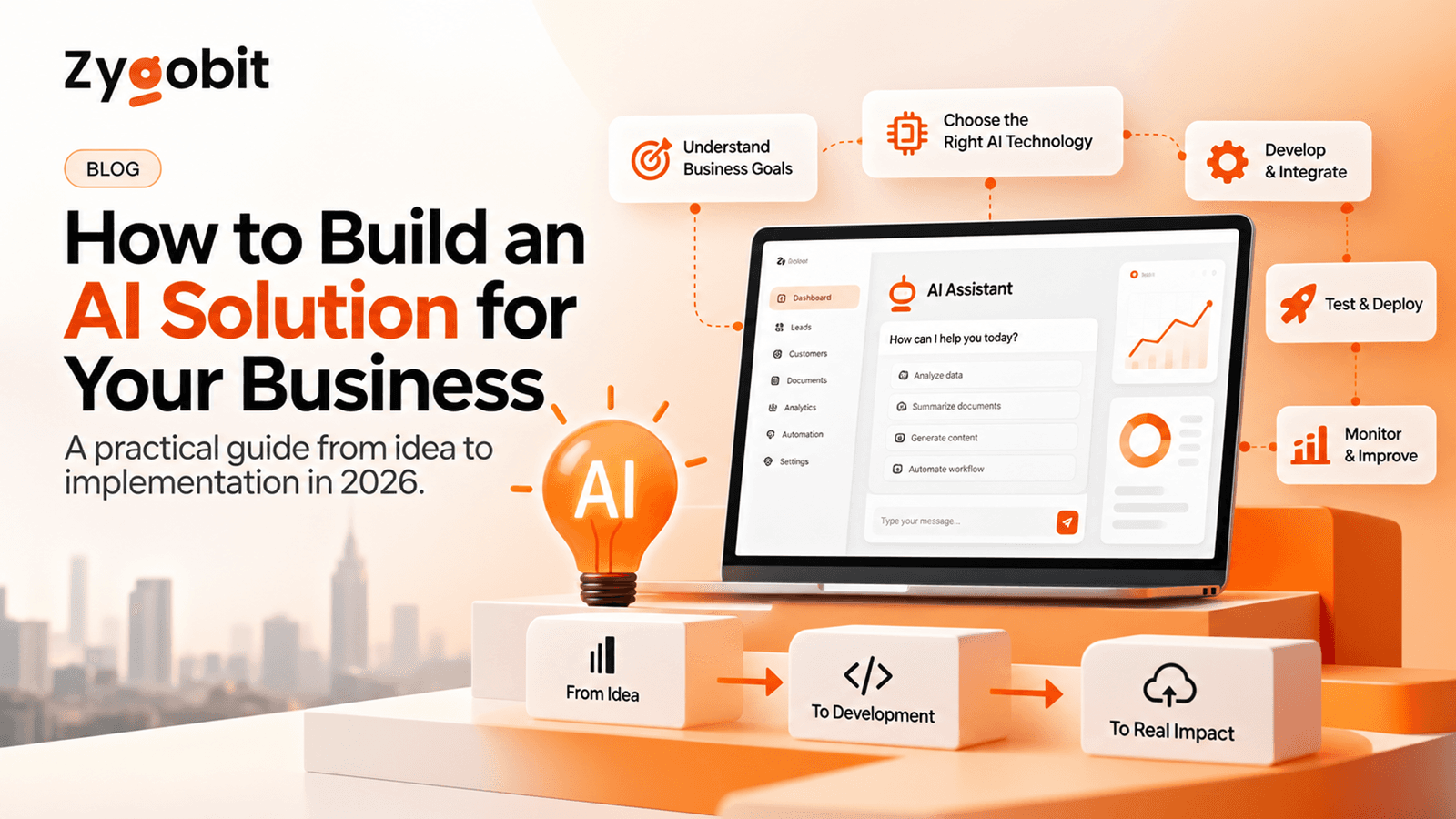
How to Build an AI Solution for Your Business: A Practical Guide for 2026
Learn how to build an AI solution for your business in 2026. Explore custom AI development, AI integration, machine learning, and automation. Discover the key steps from planning and choosing the right technology to development, testing, and deployment to create scalable, secure, and cost-effective AI solutions.