


AI Customer Service for Small Business, Costs and Setup

A plain-English guide to AI customer service for small and mid-sized businesses. What it can handle, what it should not, ready-made tool or custom agent, real cost ranges, a worked example, who should wait, and six steps to start.
Every small business owner we talk to has the same support problem. The questions never stop, and most of them are the same. Where is my order. Are you open on Sunday. Can I change my booking. Someone has to answer, and that someone is usually busy doing the real work.
AI customer service is the fix a lot of people are now looking at. This guide explains what it is in plain words, what it can and cannot do, what it costs, and how to start without wasting money. We build these systems for a living, so we will also tell you when not to bother.
The short answer. AI customer service is software that answers customer questions on chat, email or the phone, and finishes simple jobs like checking an order or booking a time. For most small businesses, a ready-made tool costs $50 to $500 a month and can be live in a week. A custom AI agent that works inside your own systems costs $10,000 to $30,000 for one job, or $40,000 to $80,000 when it has to work across several tools. The good setups handle the repeated questions and hand anything hard to a person.
What AI customer service means in plain words
Ten years ago "AI customer service" meant a clunky chatbot with five buttons. It made customers angry and solved almost nothing. That is not what we are talking about here.
Today the software reads the customer's question the way a person would. It looks up the answer in your help pages, your order system or your calendar. Then it writes a reply in normal language. If it cannot help, it passes the conversation to a person with a short note.
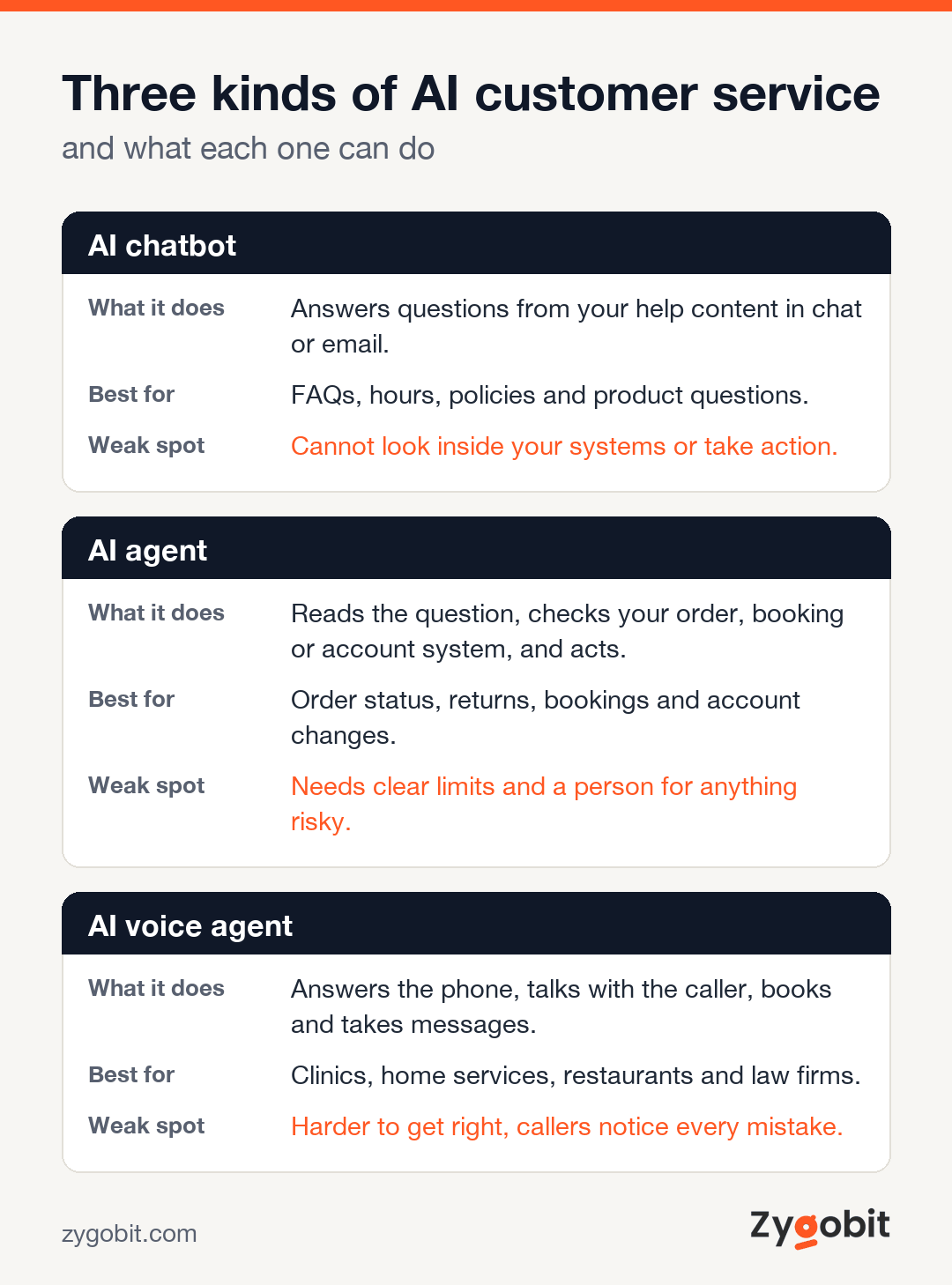
There are three kinds you will come across, and the names get mixed up all the time.
| Kind | What it does | Best for | Weak spot |
|---|---|---|---|
| AI chatbot | Answers questions from your help content in a chat window or by email | FAQs, opening hours, policies, product questions | Cannot look inside your systems or take action |
| AI agent | Reads the question, checks your order, booking or account system, and acts | Order status, returns, bookings, account changes | Needs clear limits and a person for anything risky |
| AI voice agent | Answers the phone, talks with the caller, books and takes messages | Clinics, home services, restaurants, law firms | Harder to get right, callers notice every mistake |
Most small businesses start with the first kind, move to the second within a year, and add the phone when call volume justifies it. We wrote a separate guide on the phone side, the AI receptionist for small business, so this article focuses on chat, email and agents.
What it can handle today
Here is an honest list, based on the support setups we have built and the ones we have watched fail.
- Repeated questions. Opening hours, shipping times, return rules, pricing, how-to questions. This is usually half of all tickets, and the AI gets most of them right on day one.
- Order and booking lookups. "Where is my order" and "can I move my appointment" are the two most common questions in retail and services. An agent connected to your store or calendar answers them in seconds.
- After-hours replies. Customers write at 9 pm. The AI answers at 9 pm. Even when it only says "here is what I found, a person will confirm in the morning," that beats silence.
- Sorting and routing. It reads each new message, tags it, and sends it to the right person. Billing questions go to billing. Angry messages go to the owner.
- Drafting replies for your team. Some businesses do not let the AI talk to customers at all. It drafts, a person reads and sends. Slower, but safe, and still a big time saver.
- Simple actions. Starting a return, sending a tracking link, resending an invoice, updating an address. Anything with a clear rule.
What it should not handle
This part matters more than the last one. AI customer service goes wrong when people ask it to do too much.
- Angry or upset customers. A person who is already frustrated does not want a bot. Route these to a human fast and make the handover obvious.
- Money decisions. Refunds above a small amount, discounts, waiving fees. Let the AI prepare the case and a person approve it.
- Anything legal or medical. If a wrong answer could hurt someone, a person answers.
- Questions your help content does not cover. The AI can only answer from what it has. If your policies live in someone's head, write them down first.
- Complaints about the AI itself. When a customer types "I want a human," they get a human. No loops, no "did you try our FAQ."
A simple rule we give clients. The AI answers, looks things up and does small safe tasks. People handle emotion, money and judgment.
Ready-made tool or custom build
This is the first real decision, and it decides most of the cost.
Ready-made tools are the AI features inside the help desk software you may already use. Intercom sells an AI customer agent called Fin. Zendesk sells AI agents that it says resolve issues on any channel. Freshdesk sells its Freddy AI Agent. There are dozens more. You connect your help pages, turn it on, and it starts answering.
A custom build is an AI agent we write for your business. It connects to your own order system, booking tool, CRM or database, follows your rules, and talks in your voice. It costs more and takes weeks, not days. It also does things no off-the-shelf tool can, because it knows your systems.
| Ready-made tool | Custom AI agent | |
|---|---|---|
| Cost | $50 to $500 a month | $10,000 to $80,000 to build, plus running costs |
| Time to go live | Days | 3 to 14 weeks |
| Works inside your own systems | Only through the tool's built-in connections | Yes, any system with an API or a database |
| Follows your exact rules | Partly, within the tool's settings | Fully |
| Good first step | Yes, for almost everyone | When the tool runs out of road |
| Who it suits | Businesses with mostly FAQ questions and standard tools | Businesses with their own software, odd workflows or high volume |
Our honest advice is to start with a ready-made tool if your questions are mostly FAQs and you use a standard help desk. Build custom when the tool cannot reach the data your customers ask about, when you handle thousands of conversations a month and the per-conversation fees add up, or when you run your own software and the AI has to live inside it. Our AI chatbot development service covers both paths, and we will tell you which one fits before any money changes hands.
What AI customer service costs
These are the ranges we quote, and they match the numbers in our full AI agent development cost guide.
| Option | Cost | Time | What you get |
|---|---|---|---|
| Ready-made tool | $50 to $500 a month | Days | AI answers from your help content inside a help desk you subscribe to |
| Custom single-task agent | $10,000 to $30,000 | 3 to 6 weeks | One job done well, such as order status or booking changes, connected to one system |
| Workflow agent across 3 to 6 systems | $40,000 to $80,000 | 8 to 14 weeks | Handles a full support flow across your store, CRM, shipping and email |
| Autonomous or multi-agent setup | $80,000 to $200,000 and up | 4 to 9 months | Several agents for chat, email and phone, with approvals and reporting |
Then there are running costs. Hosting is usually $100 to $1,000 a month. Model use, the fee for each answer the AI writes, grows with volume. Upkeep runs 15 to 25 percent of the build cost a year, because your products, policies and systems keep changing and the agent has to keep up.
Most small businesses we work with land in the first two rows. A single-task agent that answers order questions and starts returns, connected to the store, is the most common first project.
A worked example
Picture a small online store that sells home goods. It gets about 1,500 support messages a month. Two part-time staff answer them, and the owner steps in on busy days. This is a made-up business, but the shape of it is very common.
The owner lists the last 200 messages and sorts them. Roughly half are "where is my order." A quarter are returns and exchanges. The rest are product questions, damaged items and the odd complaint.
They start with a ready-made AI feature in their help desk. It answers the product and policy questions from the help pages. That clears maybe a quarter of the messages. Useful, but the order questions still need a person, because the tool cannot see the store's shipping data in the way they need.
Six months later they have us build a single-task agent. It reads each message, finds the order, checks the carrier tracking, and replies with the real status. It can also start a return when the order fits the return rules. Anything about damage or a refund goes to a person with a summary. The build sits in the $10,000 to $30,000 range and takes about five weeks.
What changes. The two part-timers now spend their day on the hard cases, replies go out in minutes at any hour, and the owner stops answering emails at night. Whether that is worth the money depends on what their time costs and how many customers they were losing to slow replies. Do that sum for your own business before you buy anything.
Who it does not suit
Some businesses should wait, and we say so when we see it.
- Very low volume. If you get ten support messages a week, a person with a good template is cheaper and better.
- No written answers. If your policies and product details are not written down anywhere, there is nothing for the AI to learn from. Write the help pages first. That alone fixes a lot.
- High-trust, high-stakes service. Private medical practices, legal advice, financial advice. Use AI to draft and sort, not to answer the customer directly.
- Messy systems. If order data lives in three spreadsheets and nobody trusts any of them, the agent will give confident wrong answers. Fix the data, then automate.
- A team that will not check it. Someone has to read the conversations every week for the first months. If nobody owns that, the setup drifts and customers notice.
How to start, step by step
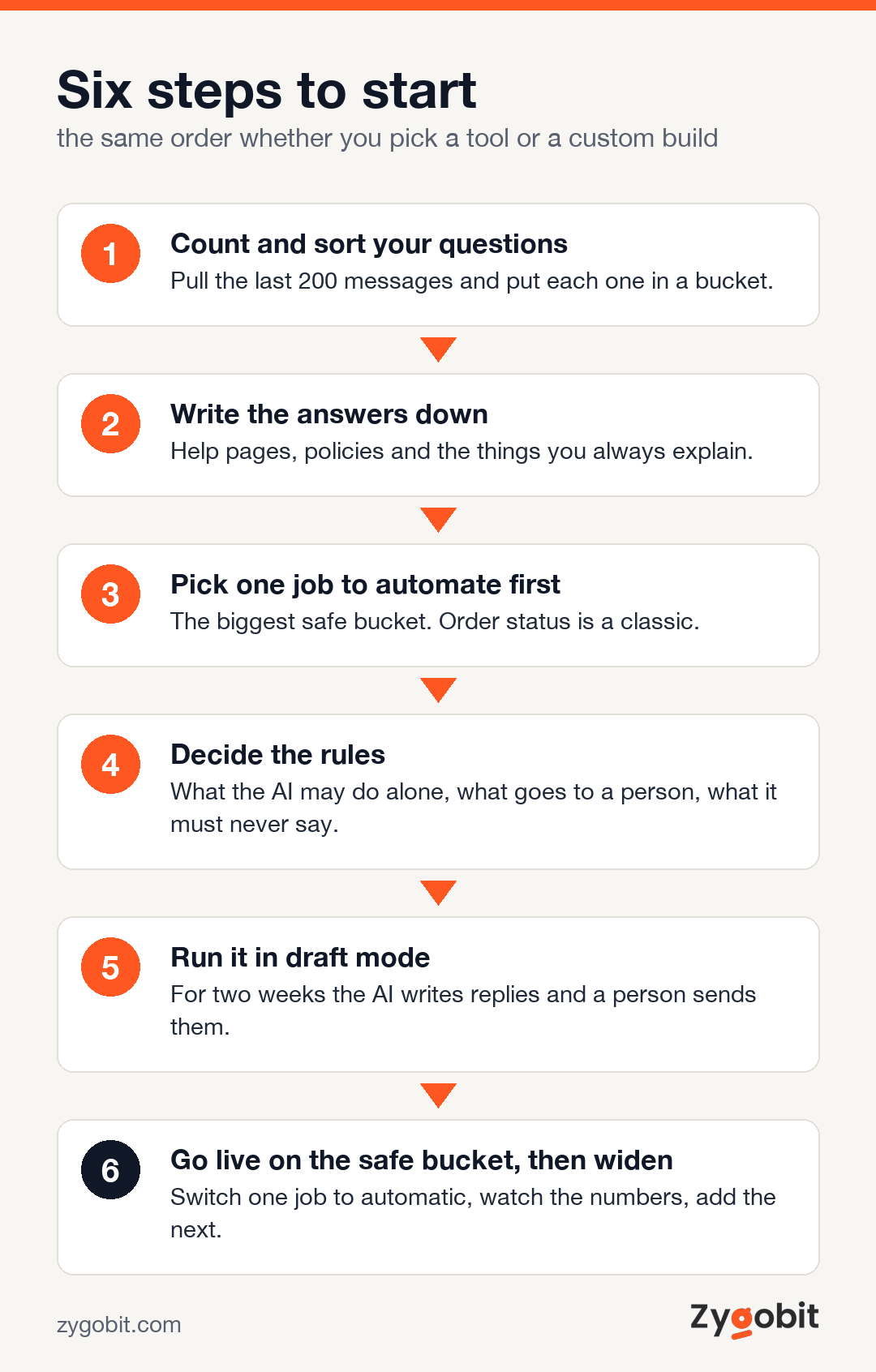
This is the order we follow with clients. It works the same whether you pick a tool or a custom build.
- Count and sort your questions. Pull the last 200 messages. Put each one in a bucket. You now know what the AI will actually face, and most owners are surprised by how repetitive it is.
- Write the answers down. Help pages, policy pages, a short internal doc for the things you always explain. The AI is only as good as this content.
- Pick the one job to automate first. Not all of support. One bucket, usually the biggest and safest. Order status is a classic.
- Decide the rules. What the AI may do alone, what it must pass to a person, and what it must never say. Write these as plain sentences. They become the agent's instructions.
- Run it in draft mode. For the first two weeks the AI writes replies and a person sends them. You see every mistake before a customer does.
- Go live on the safe bucket, then widen. Switch the first job to automatic. Watch the numbers for a month. Add the next bucket only when the first one is boring.
If you want help with steps 3 to 6, our agentic AI team does this every week, and the first call is just a conversation about your tickets.
Mistakes we see most often
- Hiding the human. Burying the "talk to a person" option is the fastest way to make customers hate the whole thing. Show it clearly.
- Letting the AI guess. If the answer is not in the content or the system, the right reply is "I will get someone to confirm," not a confident guess. Set it up that way.
- Automating everything on day one. One bucket, then the next. Teams that switch everything on at once spend the next month apologizing.
- Nobody reads the transcripts. The first month of conversations tells you exactly what to fix. Someone has to read them.
- Pretending it is a person. Customers forgive a bot that says it is a bot. They do not forgive being fooled. Say it is an assistant.
- Forgetting the phone. For a lot of local businesses, the phone is where the volume is. Chat first is fine, but check your call logs before you decide. Our AI voice agent development page explains that side.
How to tell if it is working
You do not need a dashboard with forty numbers. Four are enough.
- Share of conversations finished without a person. This should climb month by month. If it drops, something changed in your products or content.
- Time to first reply. Minutes, not hours, at every hour of the day.
- Handover rate and reason. How often it passes to a person, and why. The reasons tell you what to teach it next.
- Customer rating after an AI conversation. A thumbs up or down at the end is enough. If it falls below your human team's rating, pull back and fix it.
Check these weekly for the first three months, then monthly. Twenty minutes a week is plenty.
Where to go from here
If your support questions are mostly repeats, you can be answering them automatically within a month. Start with the count, write the answers down, and pick one safe job. If you want a second opinion on whether a tool or a custom agent fits, talk to us. We have been building these systems since 2021 from our engineering team in Mohali, with offices in East Windsor, New Jersey and Putney, New South Wales, and we are happy to tell you if the answer is "not yet."
Frequently Asked Questions
What is AI customer service?
AI customer service is software that reads customer questions on chat, email or the phone and answers them from your help content and your systems. It can check an order, change a booking or start a return, and it passes harder cases to a person.
How much does AI customer service cost?
Ready-made tools cost $50 to $500 a month. A custom AI agent that does one job well costs $10,000 to $30,000 and takes 3 to 6 weeks. An agent that works across several systems costs $40,000 to $80,000. Add hosting of $100 to $1,000 a month, model fees that grow with volume, and upkeep of 15 to 25 percent of the build a year.
Can AI replace customer service staff?
Not fully, and the businesses that try usually regret it. AI handles the repeated questions and simple tasks. People handle upset customers, money decisions and judgment calls. The usual result is the same team doing better work, not a smaller team.
Does AI customer service work for a small business?
Yes, if you get enough repeated questions to be worth it and your answers are written down somewhere. A small business with a few hundred messages a month can usually start with a ready-made tool and see results within weeks.
Is an AI chatbot the same as an AI agent?
No. A chatbot answers questions from your content. An AI agent can also look inside your systems and take action, like checking an order or booking a slot. Agents cost more and need clearer rules, but they solve the questions that a chatbot can only talk about.
How do I set up AI customer service?
Count and sort your last 200 questions, write the answers down, pick the biggest safe bucket, set the rules for what the AI may do alone, run it in draft mode for two weeks, then go live on that one job and widen from there.
Will customers be annoyed by AI customer service?
They are annoyed by slow replies, wrong answers and bots that trap them. They are not annoyed by a fast, correct answer at 9 pm. Say it is an assistant, make the path to a person obvious, and keep the AI to the questions it gets right.

Ready to put an AI agent into production?
Talk to Zygobit about agentic AI development: discovery, build, staged launch and the monitoring that keeps it honest.
Explore Related Articles
More reading on web, mobile, AI, and product engineering from the Zygobit team.
AI Contract Review for Small Business, Tools, Costs and Risks
A plain-English guide to AI contract review for US small businesses. What it checks, where it helps, the three ways to get it, what it costs, the risks, when to call a lawyer instead, and how to start this week.
AI Agents Examples by Department, 26 Real Uses and What They Cost
26 plain-English AI agents examples for customer service, sales, marketing, finance, HR, operations and IT. For each one you see what it does, which tools it plugs into, what a person still checks, and what a first agent costs to run.
AI Agent Development Cost in 2026 and What Businesses Actually Pay
AI agent development cost in 2026 ranges from about $10,000 for a single-task agent to $200,000 or more for autonomous, multi-agent systems. This guide breaks the price down by complexity tier, explains the eight factors that move it, covers the running costs quotes leave out, and shows how to get an accurate estimate.