





AI Agents Examples by Department, 26 Real Uses and What They Cost


26 plain-English AI agents examples for customer service, sales, marketing, finance, HR, operations and IT. For each one you see what it does, which tools it plugs into, what a person still checks, and what a first agent costs to run.
Most first calls we get about AI agents start with the same question. "Everyone says we need one. But what would it actually do here, on a normal Tuesday?"
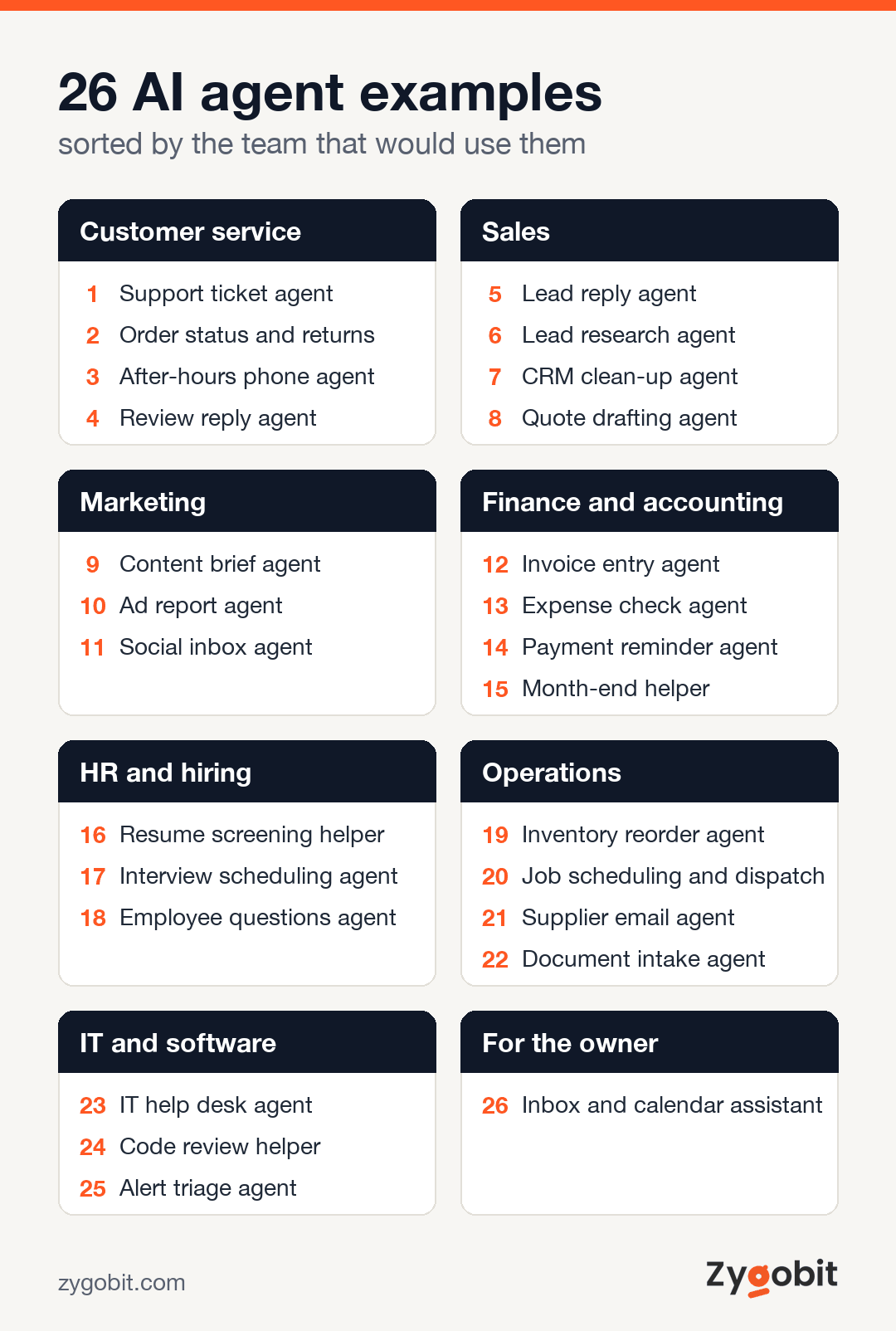
That is a fair question. Most articles answer it with big ideas and no detail. This one does the opposite. Below are 26 real examples, sorted by the team that would use them. For each one you will see what the agent does, which tools it plugs into, and what a person still needs to check.
The short answer. An AI agent is software that can take a goal, look things up in your tools, and finish a small job on its own. A support agent can read your help pages and answer a customer. A finance agent can read an invoice and enter it into your accounting system. A sales agent can reply to a new lead in under a minute and book a call. The best first agents do one boring, repeated job very well.
What an AI agent is, in plain words
You have probably used a chatbot. You ask, it answers, and that is the end of it. An AI agent goes one step further. It can use tools. It can open your order system, check a calendar, fill in a form, or send an email. Then it looks at the result and decides what to do next.
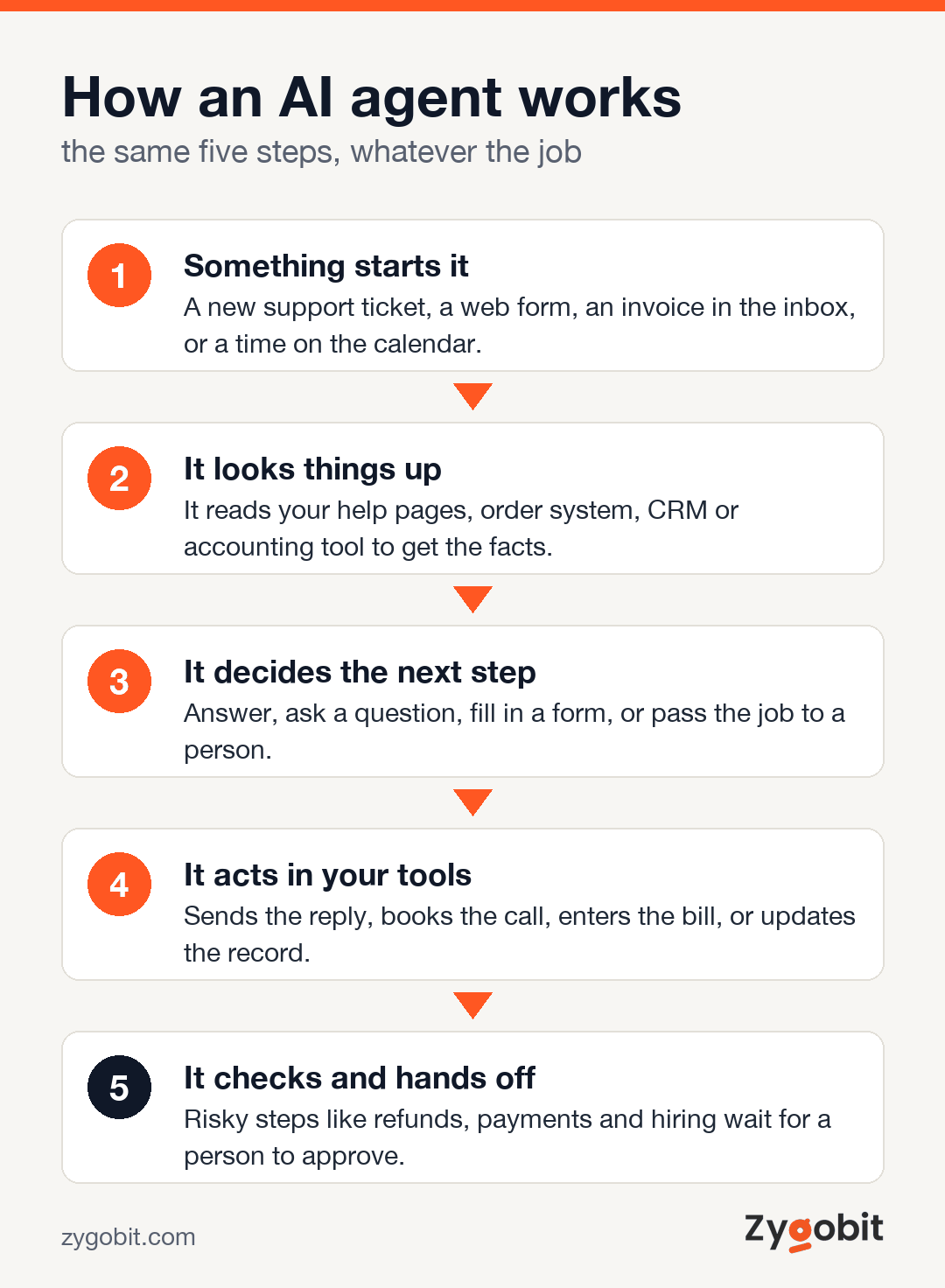
Simple automation is different again. A rule like "when a form comes in, add a row to the sheet" never thinks. It does the same thing every time. That is great for fixed tasks. It breaks the moment something unusual shows up.
| Tool | What it does | Good for | Weak spot |
|---|---|---|---|
| Chatbot | Answers questions in a chat window | Simple FAQs | Cannot act in your systems |
| Rule-based automation | Follows fixed if-this-then-that steps | Tasks that never change | Breaks on anything unexpected |
| AI agent | Reads, decides, and acts across your tools | Repeated jobs with small variations | Needs limits and a person to approve risky steps |
If you want the longer version, we wrote a separate guide on how agentic AI differs from a chatbot. For this article, the table above is all you need.
AI agent examples in customer service
Support is where most businesses start. The questions repeat, the answers already exist, and slow replies cost you customers.
1. Support ticket agent
It reads each new ticket, finds the answer in your help pages, and replies. When it is not sure, it passes the ticket to a person with a short note on what the customer wants. It plugs into tools like Zendesk, Freshdesk, or Gmail. Your team still handles angry customers and anything about money.
2. Order status and returns agent
"Where is my order?" is the most common question in ecommerce. This agent checks the order in Shopify or your store system, reads the tracking, and answers. It can also start a return and send the label if the order fits your return rules.
3. After-hours phone agent
This one answers the phone when your office is closed. It takes messages, answers simple questions, and books appointments into your calendar. Clinics, law firms, and home service companies use it most. We cover this in detail in our guide to the AI receptionist for small business.
4. Review reply agent
It drafts a reply to every new Google or Yelp review in your voice. Good reviews get a warm thank you. Bad ones get a calm, short reply and an alert to the manager. A person approves each reply before it goes live.
AI agent examples in sales
Sales teams lose deals in the gaps. A lead waits a day for a reply. Notes never make it into the CRM. Agents are good at filling those gaps.
5. Lead reply agent
A new lead fills in your website form. Within a minute, the agent replies by email or text, asks two or three questions, and offers times for a call. Speed matters here. The first company to reply often wins the job.
6. Lead research agent
Before a sales call, it looks up the company, reads their website, and writes a half-page brief. Your rep walks in knowing what the business does, how big it is, and what it might need.
7. CRM clean-up agent
It reads call notes and emails, then fills in the missing fields in HubSpot or Salesforce. Deal stage, next step, budget. Nobody loves this job, which is exactly why it rarely gets done by hand.
8. Quote drafting agent
It takes what the customer asked for, checks your price list, and drafts a quote. Your rep checks it and sends it. This works well for businesses with many small quotes, like print shops, cleaning firms, and IT services.
AI agent examples in marketing
9. Content brief agent
It collects the questions customers actually ask, from support tickets, sales calls, and search data. Then it turns them into article outlines. Your writer still writes. The agent just makes sure they write about the right things.
10. Ad report agent
Every Monday it pulls numbers from Google Ads and Meta, compares them with last week, and flags ads that are spending money without results. It sends a short summary instead of a 12-tab spreadsheet.
11. Social inbox agent
It sorts comments and messages across your social accounts. Questions get a draft reply. Complaints go straight to a person. Spam gets hidden.
AI agent examples in finance and accounting
Finance work is full of reading and typing. That makes it a strong fit, as long as a person still approves anything that moves money.
12. Invoice entry agent
It reads invoices from email, pulls out the supplier, amount, and due date, matches them to purchase orders, and enters the bill in QuickBooks or Xero. Our guide on AI document processing explains how the reading part works.
13. Expense check agent
It checks each expense receipt against your policy. Over the limit, missing receipt, or a weekend restaurant bill? It flags it before the manager approves.
14. Payment reminder agent
It watches for overdue invoices and sends polite reminders on a schedule you set. When the customer pays, it stops. When a customer replies with a question, it hands over to your team.
15. Month-end helper
It matches bank lines to entries in your books and lists the ones that do not match. Your bookkeeper starts with a short list of problems instead of a long list of everything.
AI agent examples in HR and hiring
16. Resume screening helper
It sorts applications against your must-haves, such as a license, years of experience, or location. It shows its reasons for each one. A person makes every hiring decision. Hiring rules differ by state, so keep the agent as a helper, never the judge.
17. Interview scheduling agent
It finds a time that works for the candidate and everyone on the panel, sends the invites, and handles the reschedules. This alone can save a recruiter several hours a week.
18. Employee questions agent
"How many vacation days do I have left?" "What is the policy on remote work?" It answers from your handbook and HR system, so your HR person is not answering the same ten questions every week.
AI agent examples in operations
19. Inventory reorder agent
It watches stock levels and sales speed. When an item is about to run low, it drafts a purchase order for a person to approve. No more surprise stock-outs on your best seller.
20. Job scheduling and dispatch agent
For plumbers, cleaners, and other field teams. It looks at new jobs, staff locations, and skills, then suggests who should go where. The office manager approves the plan with one click.
21. Supplier email agent
Suppliers send delay notices, price changes, and order updates by email. The agent reads them, updates the dates in your system, and warns you when a delay will affect a customer.
22. Document intake agent
It reads incoming forms, contracts, and applications, checks they are complete, and files them in the right folder. Missing a signature? It emails the sender and asks for it.
AI agent examples in IT and software teams
23. IT help desk agent
It handles password resets, new laptop requests, and access to apps. Anything that gives someone new access goes to a manager for approval first.
24. Code review helper
It reads each change a developer makes and leaves comments on likely bugs, missing tests, and security risks. A senior developer still approves the change. It simply catches the obvious things earlier.
25. Alert triage agent
When systems send dozens of alerts at night, it groups the related ones, checks recent changes, and writes a short summary for the person on call. Fewer 3 a.m. guessing games.
One more, for the owner
26. Inbox and calendar assistant
It sorts your email into "needs you today", "can wait", and "someone else can handle this". It drafts replies to the routine ones and keeps your calendar from filling with back-to-back calls. For a busy owner, this is often the agent that pays for itself fastest.
Which examples to start with, and what they cost
You do not need 26 agents. You need one that works. Here are the best first picks for most small and mid-sized businesses, with honest ranges.
| First agent | Best for | Time to set up | Typical cost |
|---|---|---|---|
| Lead reply agent | Any business that gets web leads | 1 to 3 weeks | $50 to $500 a month with a ready-made tool |
| After-hours phone agent | Clinics, law firms, home services | 1 to 2 weeks | $50 to $500 a month with a ready-made tool |
| Support ticket agent | Ecommerce and software companies | 2 to 6 weeks | $10,000 to $30,000 to build, or a monthly tool fee |
| Invoice entry agent | Businesses with many supplier bills | 3 to 6 weeks | $10,000 to $30,000 to build |
| Multi-step operations agent | Work that crosses three or more systems | 8 to 14 weeks | $40,000 to $80,000 to build |
Running costs for a custom agent are usually $100 to $1,000 a month, mostly for the AI model and hosting. We break down every line of that in our AI agent development cost guide.
A simple rule we give clients. If a ready-made tool does 80 percent of the job, buy it. Build only when the agent has to work inside your own systems, follow your own rules, or handle data you cannot send to a third party.
Where AI agents go wrong
We have seen enough projects to know the usual mistakes. Here are the ones worth planning for.
- Too big a first job. "Run all of customer service" fails. "Answer order status questions" works. Start narrow.
- No human check on risky steps. Refunds, payments, hiring, and anything legal should need a person's yes.
- Messy source data. An agent that reads an out-of-date help page will give out-of-date answers, very confidently.
- Nobody owns it. Someone on your team should read a sample of its work every week, at least for the first two months.
- No way out for customers. People must always be able to reach a human. Hide that option and you will lose trust fast.
And sometimes an agent is the wrong tool. If the task happens twice a month, or each case is truly different, a person is cheaper and better.
How to pick your first AI agent
- List the jobs your team repeats every week. Write down how many times and how long each takes.
- Circle the ones with clear right answers. Order status has a right answer. "Should we fire this supplier?" does not.
- Check where the information lives. If it sits in tools with good connections, like Shopify, HubSpot, or QuickBooks, the build is faster and cheaper.
- Decide what the agent may do alone and what needs approval. Write it down before anyone builds anything.
- Run it next to a person for two to four weeks. Compare its answers with theirs. Go live only when you trust it.
If you would like a second opinion on which job to hand over first, our team builds custom AI agents and AI automation for US businesses. You can also tell us about your process, and we will tell you honestly whether an agent is worth it.
Frequently Asked Questions
What is a simple example of an AI agent?
A lead reply agent is one of the simplest. When someone fills in your website form, it replies within a minute, asks a few questions, and books a call on your calendar. It uses your form, your email, and your calendar, and it finishes the job without a person stepping in.
Is ChatGPT an AI agent?
On its own, ChatGPT is mostly a chat assistant. It becomes agent-like when it is given tools, such as browsing, files, or access to other apps, and allowed to take steps toward a goal. A business AI agent is usually built on a model like this and then connected to your own systems.
What are the five types of AI agents?
Textbooks list five. Simple reflex agents react to what they see right now, like a thermostat. Model-based agents also remember what happened before. Goal-based agents choose actions that reach a goal. Utility-based agents pick the best option among several good ones. Learning agents get better with feedback. Most business agents today mix the goal-based and learning types.
How much does an AI agent cost for a small business?
Ready-made tools for one job, like answering calls or replying to leads, usually cost $50 to $500 a month. A custom agent for one task typically costs $10,000 to $30,000 to build, plus $100 to $1,000 a month to run. Agents that work across several systems usually start around $40,000.
Can AI agents replace employees?
In our experience, they replace tasks, not people. The best results come when an agent takes the repeated work and your team spends that time on customers, sales, and decisions that need judgment.
Are AI agents safe to use with customer data?
They can be, if they are set up with care. Give the agent access only to the data it needs, keep logs of what it does, and choose AI providers that do not train on your data. For health, legal, or financial data, check the rules for your industry before you go live.

Ready to put an AI agent into production?
Talk to Zygobit about agentic AI development: discovery, build, staged launch and the monitoring that keeps it honest.
Explore Related Articles
More reading on web, mobile, AI, and product engineering from the Zygobit team.
AI Agent Development Cost in 2026 and What Businesses Actually Pay
AI agent development cost in 2026 ranges from about $10,000 for a single-task agent to $200,000 or more for autonomous, multi-agent systems. This guide breaks the price down by complexity tier, explains the eight factors that move it, covers the running costs quotes leave out, and shows how to get an accurate estimate.
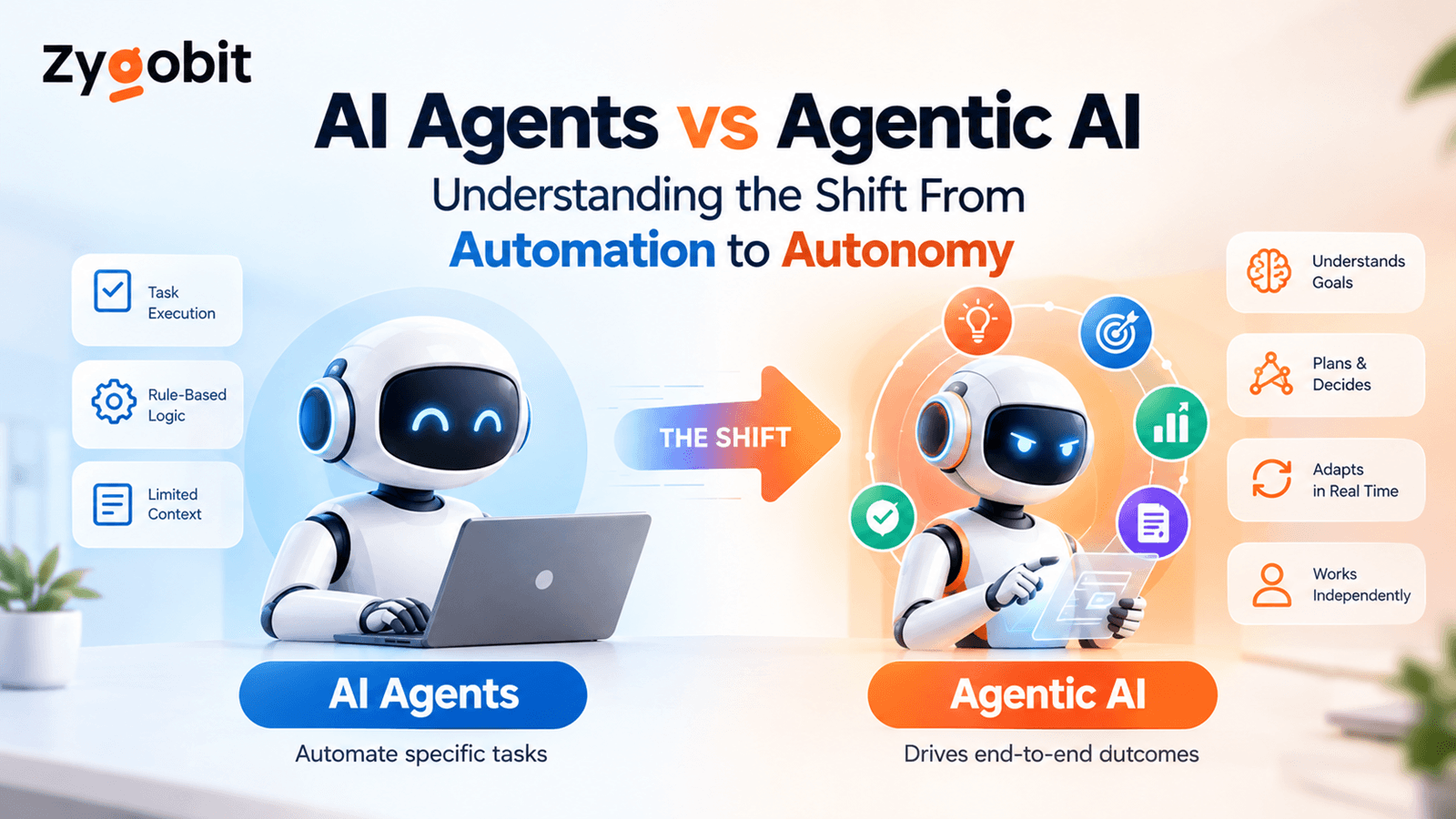
AI Agents vs Agentic AI Understanding the Shift From Automation to Autonomy
AI agents are changing business automation by moving beyond simple responses to intelligent action. This article explains the difference between AI agents and agentic AI, including planning, tool use, workflow orchestration, state management, human approvals, security, observability, and enterprise use cases.
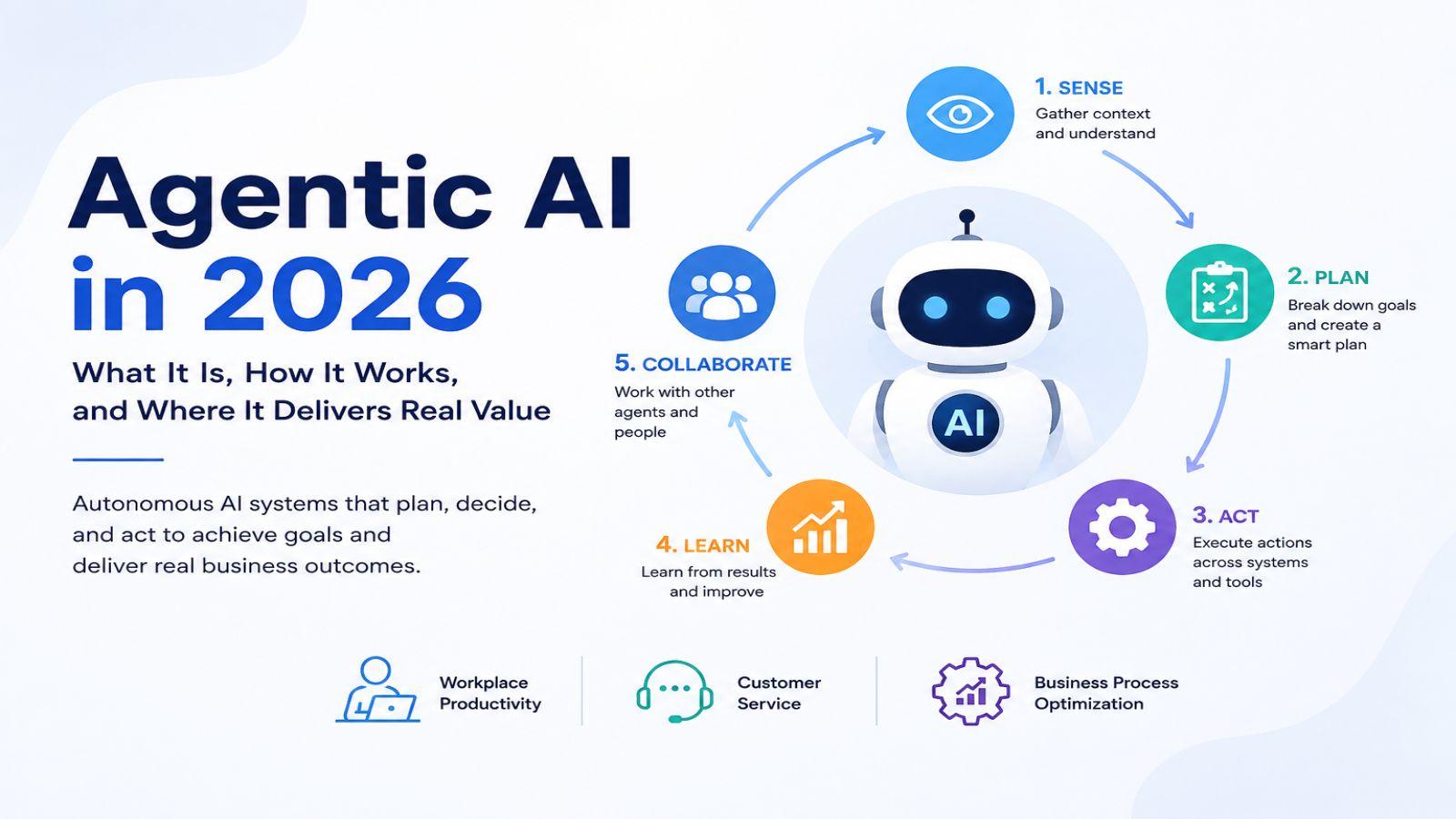
Agentic AI in 2026 What It Is, How It Works, and Where It Delivers Real Value
Discover how Agentic AI is transforming businesses in 2026 by moving beyond simple content generation to autonomous action. Learn how AI agents sense, plan, act, learn, and collaborate across systems to automate workflows, improve customer service, boost productivity, optimize business processes, and deliver measurable results with secure, scalable implementation.